
Two-Player Hexagonal Chess on One Device
Play Hexagonal Chess on One Device
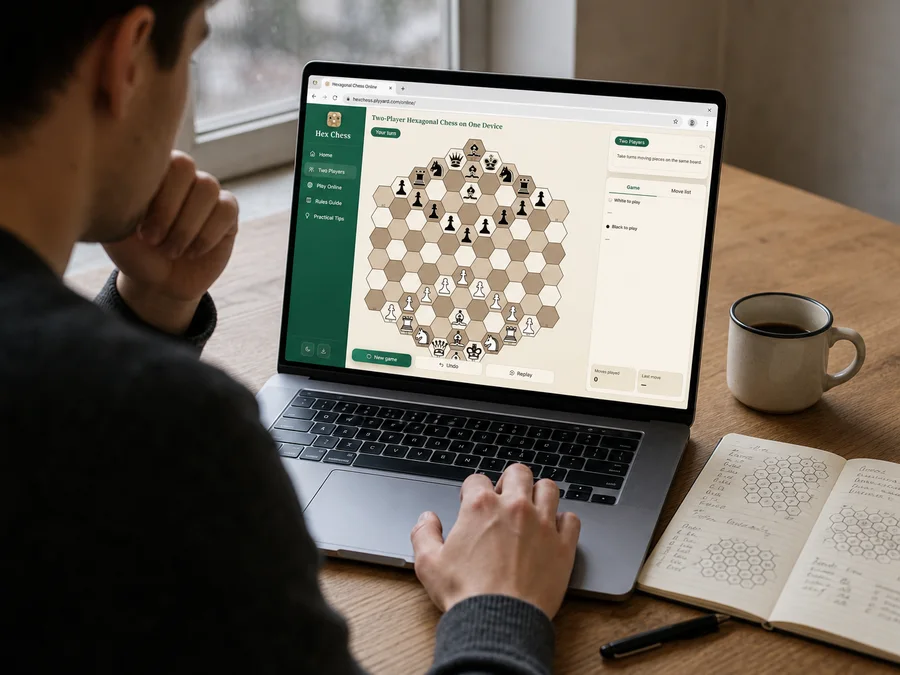
Set a phone, tablet, or computer between you and start playing right away. There is no room to create and no connection to wait for. Tap a piece, then tap its destination. If you are keeping score, agree on takebacks first and swap colours in the next game.
Before You Start
Place the device where both players can reach it. White starts by selecting a piece and then one of its legal destinations.
Two rules are worth remembering right away: pawns move vertically and capture at 60°, and checkmate wins. Stalemate also counts as a win for the side that has just moved.
Decide on takebacks before the first move. For a fair mini-match, play two games and let each player have one turn as White.

Follow the Turn
The status bar shows whether White or Black is to move. Tap one of your pieces to reveal its legal destinations, then choose a highlighted cell. Tapping the wrong piece does not spend your turn; just pick another. Pass the device over when the move is complete.

Legal Does Not Mean Best
Most beginner disputes are about whether a pawn may move diagonally, whether a bishop can switch colours, or whether stalemate is a draw. The board enforces those rules before it shows each destination. A highlighted cell is legal, but that does not make it the best move.
Swap Colours After Each Game
Because White always moves first, the fairest set gives each person one game with White. The move list records every start and end cell, so it is easy to replay the turn when a file opened or the mate net finally closed.
2players
1shared device
Undoif both players agree
Replayafter the game ends
